
Better xCloud iPad is built to take full advantage of the iPad’s larger display, delivering a smoother and more customizable Xbox Cloud Gaming experience in Safari. With performance and visual improvements, it lets you enjoy xCloud with greater comfort, clarity, and control.
How To Download Better xCloud iPad Version
Let’s learn how to use it on the iPad tablets easily,
- First, download the Better xCloud Script on your iPad tablet.
- Open the Downloads folder in the Files app, create a new folder named userscripts, and move the
better-xcloud.user.jsfile into it. - Download and install the Userscripts from the App Store.
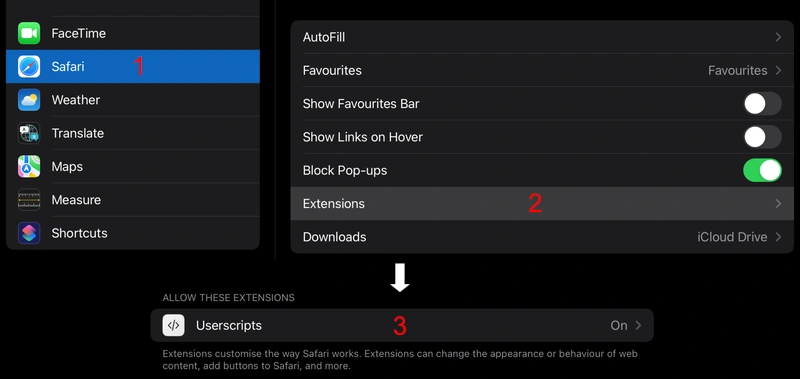
- Open Device Settings > Safari > Extensions, and enable the Userscripts.
- Launch the newly installed Userscripts app from the Home Screen and select Set Userscripts Directory.
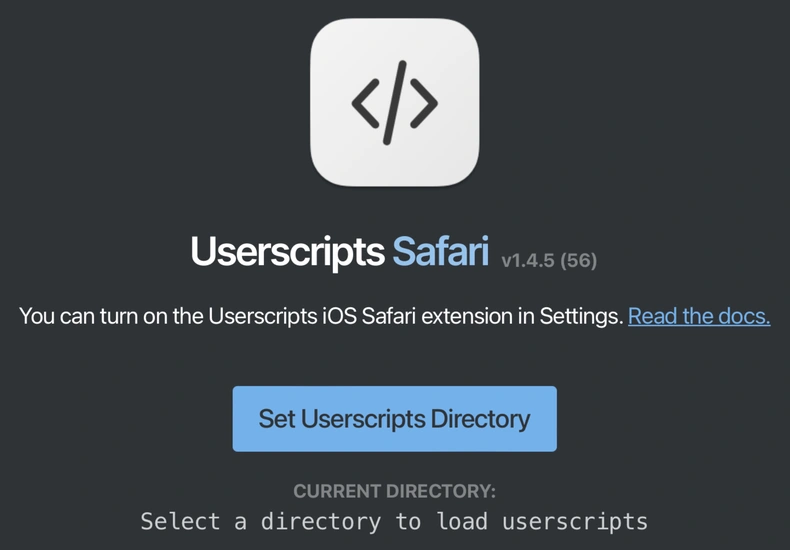
- Choose the Downloads/userscripts folder you created in Step 2.
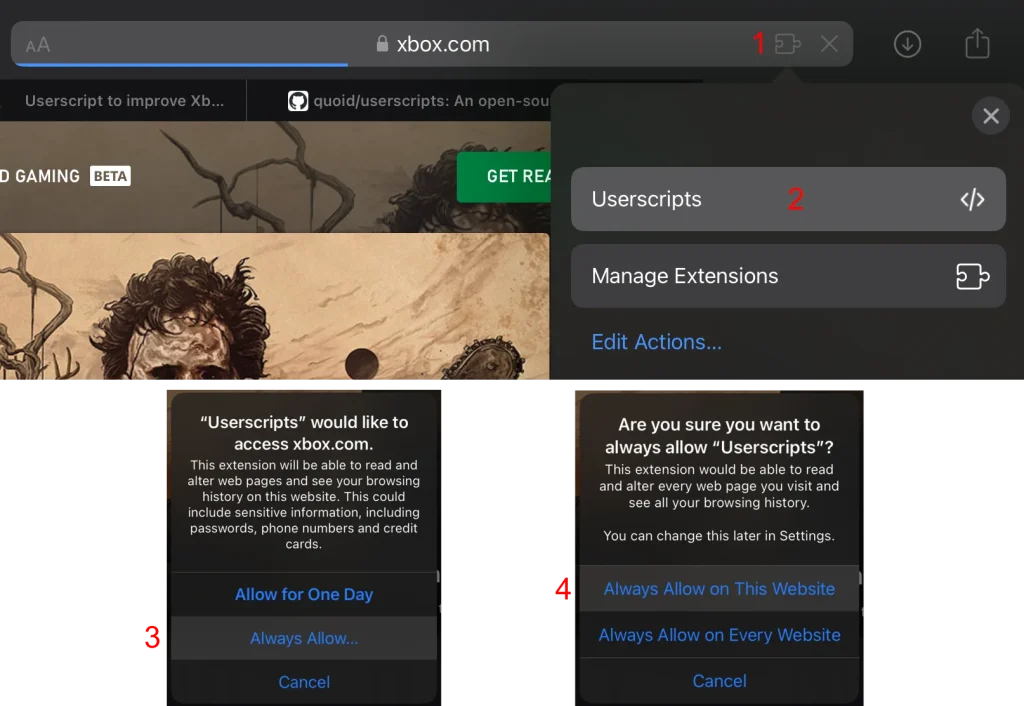
- Open Safari and navigate to xbox.com/play now.
- Click the Extensions button in the address bar, select Userscripts, then enable Always Allow… and Always Allow on This Website.
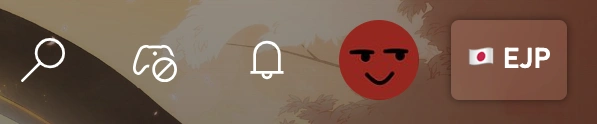
If the setup is successful, a new button will appear next to your profile picture.
That’s all.
You can even also use it on your iOS or Mac devices also.
Better xCloud iPad Features
This Apple application has been designed with some amazing features, so that you can easily use them on your tablet device. For your convenience, I have listed some of the best features below, so that you know exactly what you are going to get.
Anyway, let’s take a look at them.
- Optimized for iPad’s large Retina display with full-screen support
- Adjustable streaming quality i.e., bitrate and resolution control
- Manual server selection for lower latency
- Smooth Bluetooth controller support
- Advanced performance settings
- Safe to use with your Xbox account
There are many more features that you will be able to enjoy.
Supported Devices
It fully supports the Apple iPad, providing an enhanced Xbox Cloud gaming experience right in your browser. I have included a short list of exactly what types of iPad devices you can use it on below, so you can understand if you can use this app on your current device.
It supports,
- iPad (7th generation and newer)
- iPad mini (5th generation and newer)
- iPad Air (3rd generation and newer)
- iPad Pro (all models)
Requirements
- Latest version of the Safari browser
- Bluetooth controller for the best experience
- Stable internet connection
Simply open Safari and start playing.
Conclusion
Better xCloud iPad version gives you a smoother, more customizable Xbox Cloud Gaming experience. With optimized streaming settings, better performance control, and full Safari support, it transforms your iPad into a powerful portable gaming device.
Use it and enjoy a more advanced cloud gaming experience anytime, anywhere.