Better xCloud APK enhances your cloud gaming experience with smoother performance, advanced customization options, and a cleaner interface. Built to work seamlessly on Android devices, it gives you more control and a more reliable way to enjoy xCloud on the go.
| Name | Better xCloud |
| Current Version | 0.24.2 |
| Size | 6.4 MB |
| Requirement | Android 8.0+ |
| Rating | 4.9/5 |
| Developer | redphx |
| Released | 7 February 2026 |
This is the best app for improving experience.
Also, remember that the app is only available as an APK file, meaning it must be installed manually. Additionally, the Android app does not support installing extensions. If you need extension support, it is recommended to use it via an Android Browser instead.
Screenshot of the app:
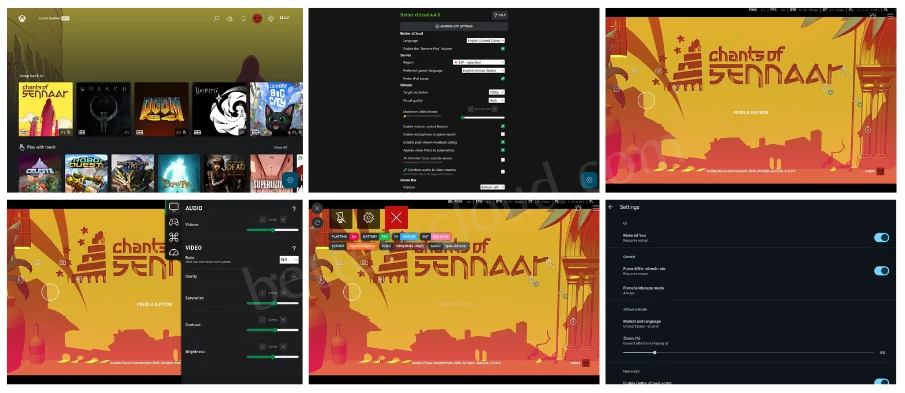
Better xCloud Android App Features
It has many powerful features to enhance your gaming experience. From improved streaming quality and performance optimization to advanced control options and specific enhancements, these features will give you smoother gameplay, better visuals, and more control.
Let’s take a look at some of the features,
- Stream Xbox games directly via the app
- Streams games in 1080p resolution for sharper visuals
- Helps make streamed game visuals appear sharper and clearer
- Emulates a controller via mouse and keyboard
- Play games with a touchscreen, including custom layouts
- Enhanced vibration/haptics integration with Android devices
- Limits screen refresh rate (e.g., to 60 Hz) to save battery
- Take screenshots of your ongoing cloud stream easily
- 100% ads‑free and no third‑party tracking built into the app
- Supports native mouse and keyboard for Android gaming
- Supports both cloud gaming and Xbox Remote Play
There are many more features that you can enjoy.
How To Install Better xCloud App For Android
You will be able to use this application very easily on any device running the Android operating system. However, if you are still facing any kind of problem, then the following guide is for you, which will teach you how to install and use it smoothly.
Let’s learn how to use it,
- Download Better xCloud APK file and install it on your Android device.
- Sign in to your account.
- Click the new <SERVER NAME> button next to your profile picture to customize settings.
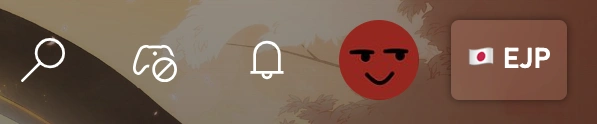
Now, use this app on your Android smartphone or tablet device.
That’s all.
Supported Devices
It’s designed to work seamlessly across most Android devices, giving players the flexibility and convenience they need, whether they prefer mobile gaming, big-screen play, or immersive setups. And it ensures you can enjoy Xbox Cloud Gaming on almost any supported screen.
Supported devices include,
- Android phones/tablets
- Android TV
- Amazon Fire TV Stick 4K/4K Max
- Meta Quest VR headsets
And more.
That is, you will not encounter any obstacles on any device.
Frequently Asked Questions (FAQs)
Below are some frequently asked questions about the Android app. These answers cover installation, compatibility, features, safety, and others to help you better understand how the app works and whether it’s the right choice for your cloud gaming needs.
Anyway, let’s take a look,
What is the Better xCloud app?
It is an enhanced Android app that improves the Xbox Cloud Gaming experience with better performance, visuals, and control options compared to the default web version.
Is this application free to use?
Yes, it is 100% free. There are no ads, subscriptions, or hidden charges.
Is this app safe to use?
The app does not modify games, access restricted system features, or interfere with Xbox services. And Xbox has confirmed that users are not at risk of being banned for using it.
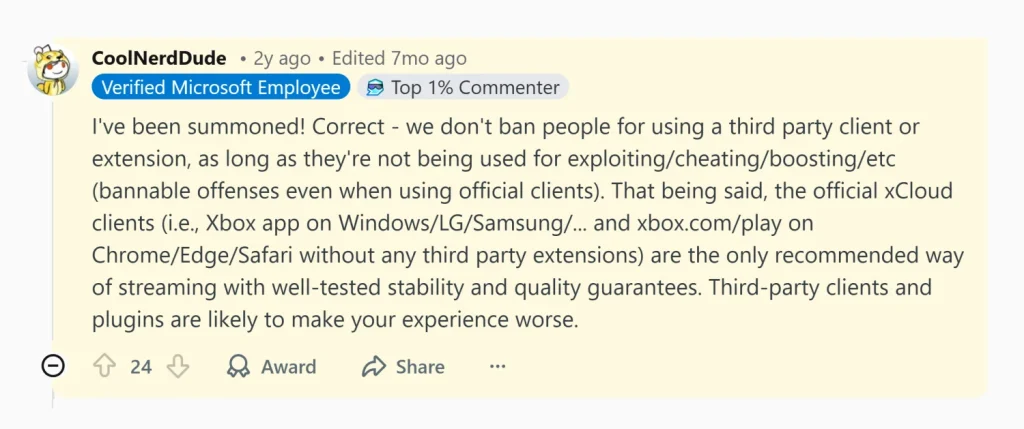
So, yeah, it is 100% safe to use.
How do I install the Better xCloud Android app?
The app is available only as an APK file. You must download it manually (from the above download button) and allow installation from unknown sources on your Android device.
Does it support a mouse and keyboard on Android?
Yes, it offers native mouse and keyboard support, as well as controller emulation.
Can I use it for Xbox Remote Play?
In addition to cloud gaming, it also supports Xbox Remote Play from your own console.
Is Better xCloud an official Xbox app?
No. This application is essentially a third-party enhancement tool, but it uses the official Xbox Cloud Gaming service and does not interfere with your Xbox account.
Final Word
Better xCloud APK is the most powerful and flexible solution for anyone looking to enhance their Xbox Cloud Gaming experience on Android smartphones or tablet devices.
With broad device support, performance and visual improvements, advanced control options, and a free, ad-free experience, it offers a reliable alternative to the standard cloud gaming setup.
It provides a smooth, secure, and feature-rich way to enjoy cloud gaming.